Overview
The creation flow for meals, recipes, and custom foods had evolved over time into a highly technical interface. Although all functionality was available, the experience felt overwhelming, especially for first-time users.
Most information was displayed on a single long screen without clear visual hierarchy. Users needed several seconds just to understand what belonged together before they could start entering data. This increased cognitive load and made the first interaction feel more complicated than it actually was.
Challenge
The main challenge was not the amount of information itself, but how that information was presented.
The existing flow:
- Had no clear visual starting point
- Gave similar visual weight to elements with different levels of importance
- Required users to scan a long screen before understanding the structure
- Made relationships between fields difficult to recognize
- Created a feeling of a complex, technical form rather than a simple creation flow
The redesign needed to establish a clear hierarchy, reduce cognitive load, and guide users through the process step by step.
Research & Analysis
I analyzed direct and indirect competitors across nutrition, calorie tracking, and recipe-focused apps, as well as products with similar multi-step creation flows. The research helped uncover established patterns for building recipes, creating custom foods, selecting ingredients, and handling complex forms, while highlighting opportunities to simplify the overall experience.
Several recurring patterns emerged:
- Primary decisions were visually emphasized.
- Visual elements were used to help users understand the context before reading details.
- Complex forms were divided into logical sections.
- Related information was grouped together rather than presented as one continuous list.
- Multi-step flows made progress more predictable and easier to understand.
This led to a key insight:
Users don't fully read an interface before acting. They scan it first and follow the strongest visual cues.
Therefore, the first step was to establish a clear visual entry point.
Key Insights
Design Principles
- Visual First. Use a strong visual element to immediately communicate the starting point and context of the flow.
- One Decision at a Time. Reduce cognitive load by focusing each screen on a specific task or decision.
- Clear Relationships. Group related information together so users can understand what belongs together without having to analyze the interface.
- Visible Progress. Make the overall process predictable by showing users where they are and helping them understand that the task is progressing.
- Scalable Structure. Create a reusable pattern that can support different creation scenarios without continuously increasing the complexity of a single screen.

Solution
Established a stronger visual entry point
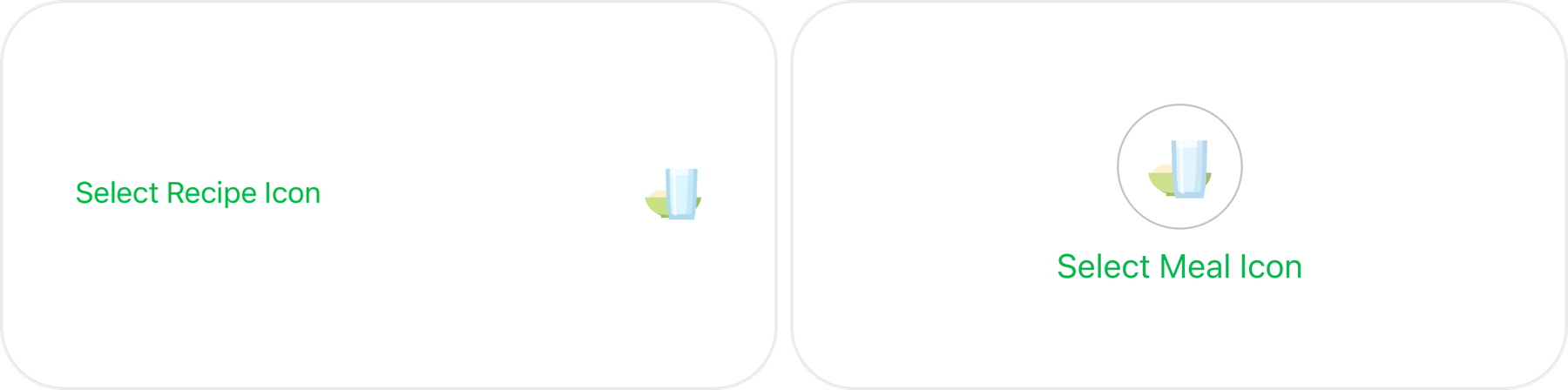
The first major change was increasing the importance of the icon selection. Previously, the icon was treated as one of many elements within the form. In the new experience, it became a prominent visual component and the natural starting point of the flow.
The larger visual element immediately attracts attention and gives users an intuitive answer to the first question: “What am I creating?”
This also made the experience feel less technical and more like a visual creation process.
Restructured the creation experience
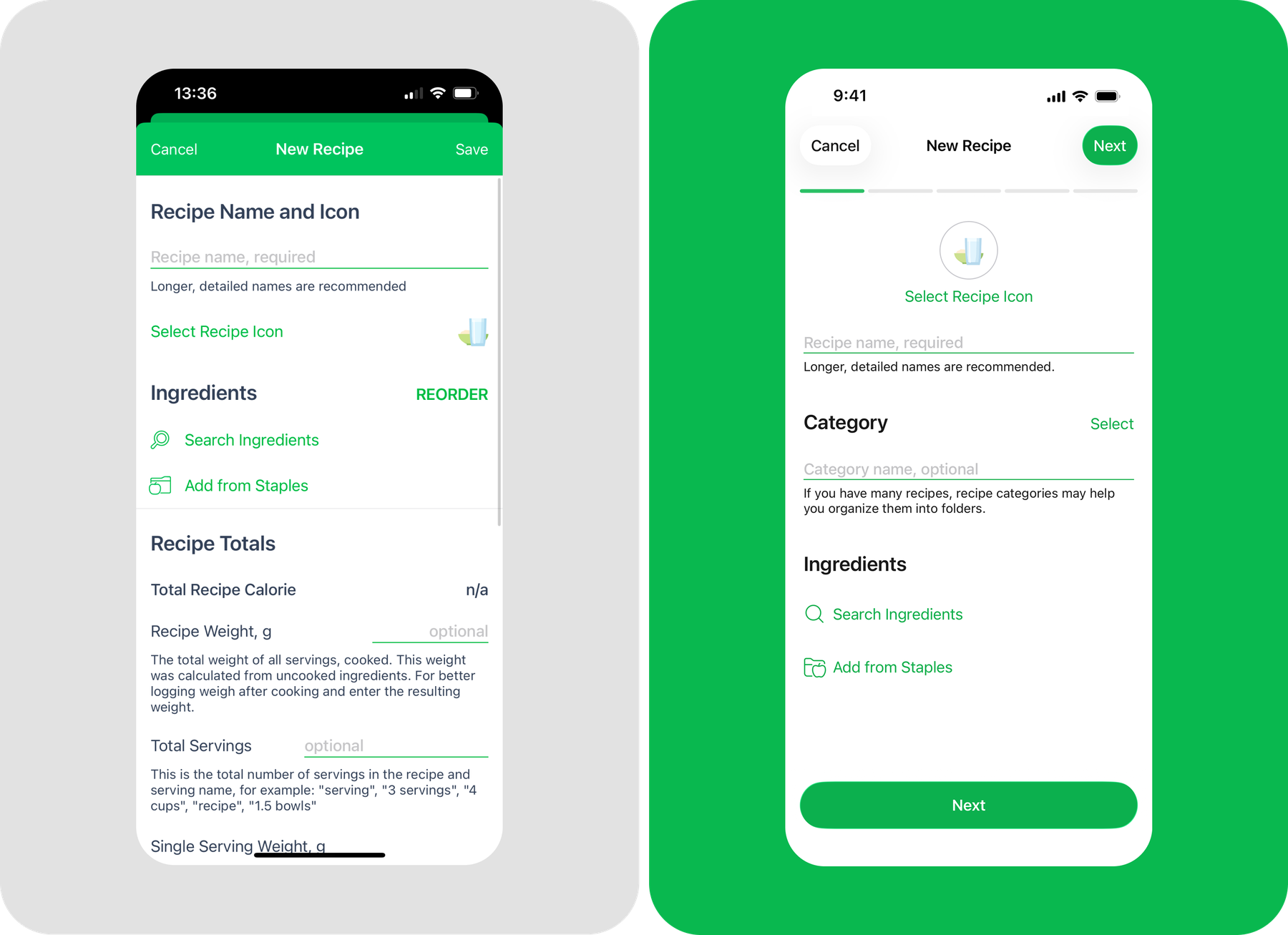
The creation flow was reorganized into clear, meaningful sections, grouping related information and decisions by context. Complex parts were moved to dedicated screens where needed, while simpler interactions remained within the same context.
This reduced visual density and cognitive load, making the experience easier to scan and understand without removing any existing functionality.
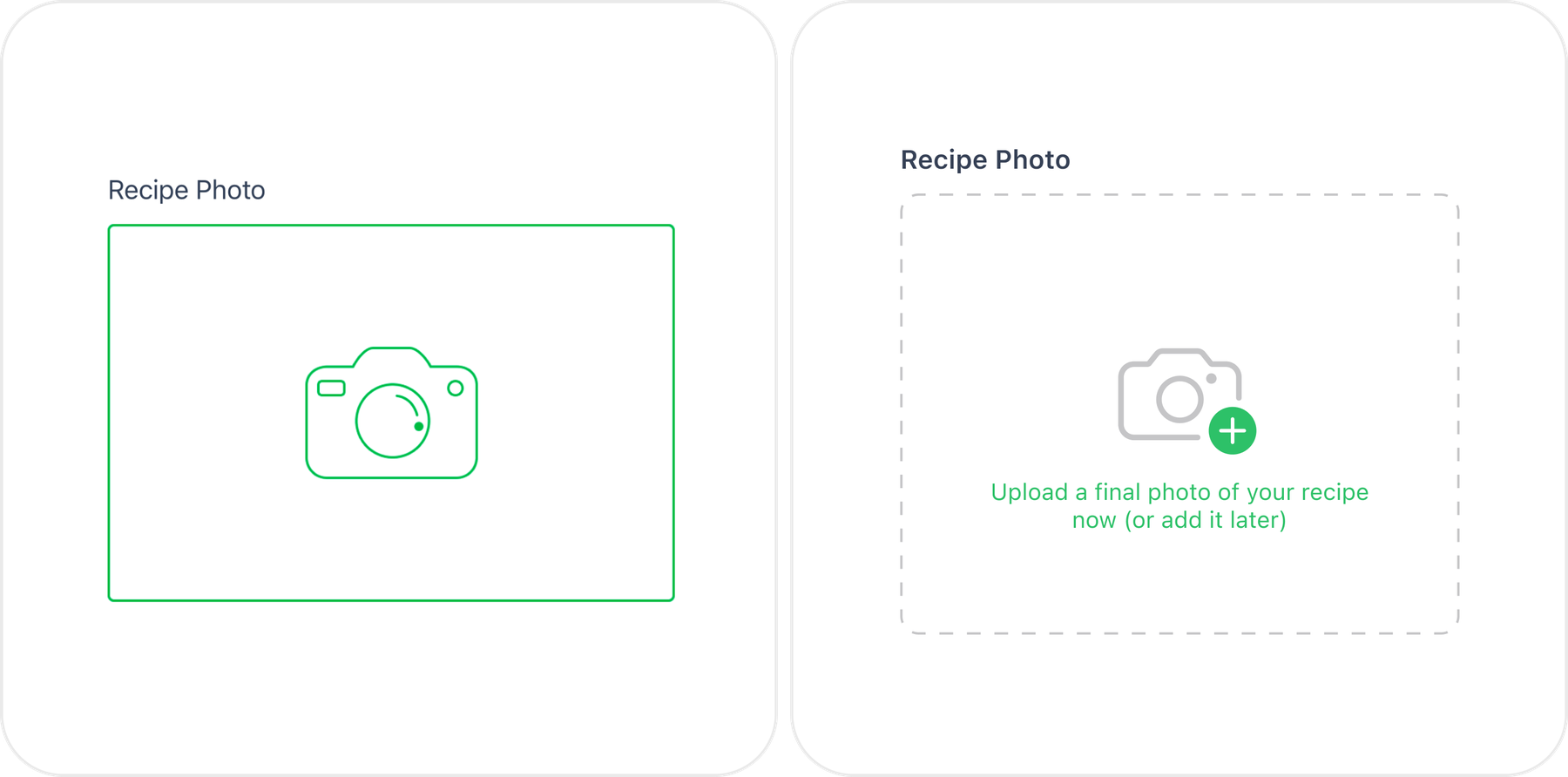
Made photo selection more intuitive
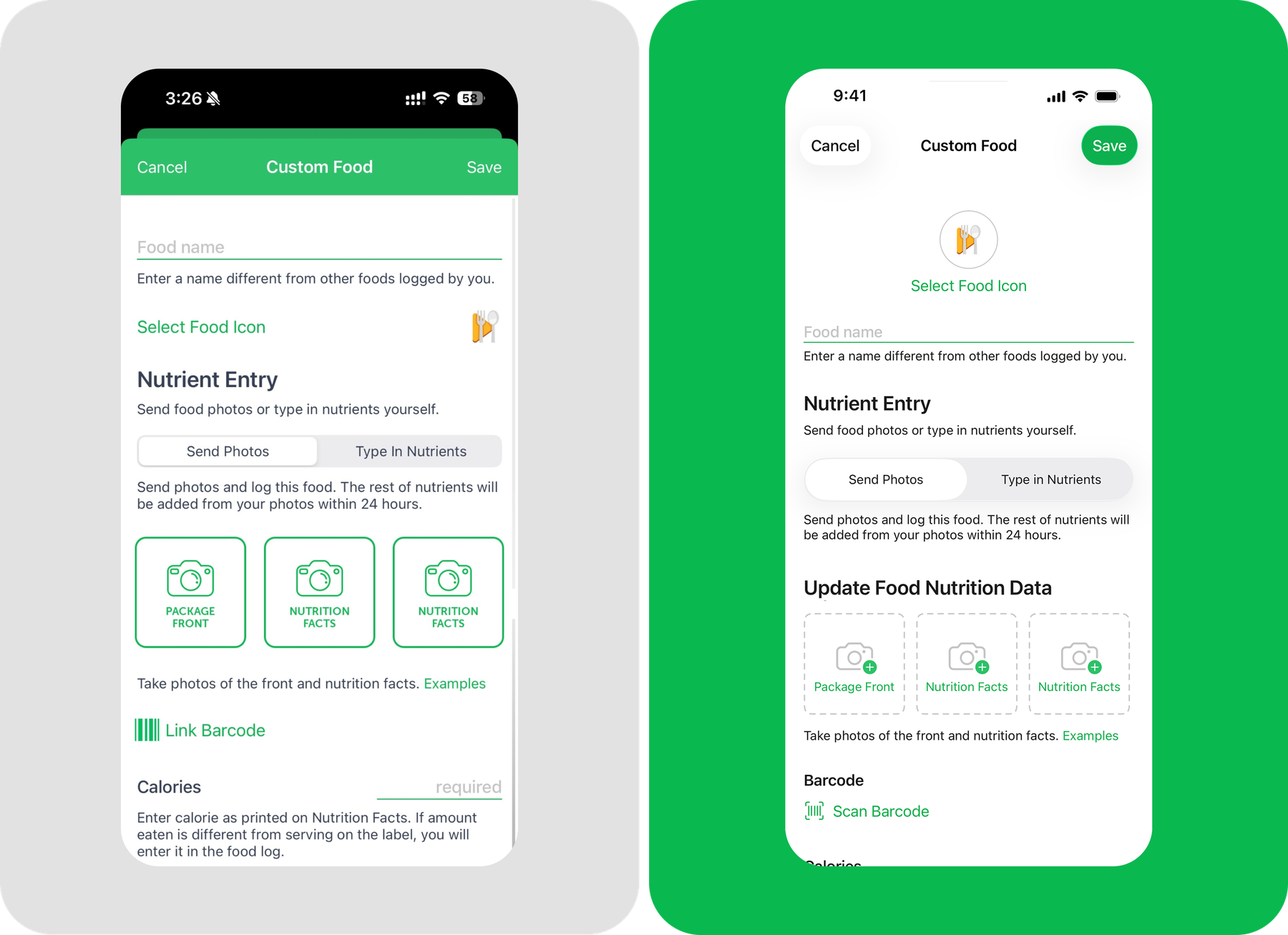
The photo upload interaction was redesigned to make the available options easier to recognize at a glance.
Instead of relying primarily on labels, the new design used clearer visual differentiation between the available actions and gave the photo area more prominence within the creation flow. This helped users understand what they could add and how to add it without having to stop and interpret the interface.
Result
The redesign transformed the creation experience from a technical, form-heavy interface into a more visual and guided flow.
The new structure:
- Made the starting point immediately recognizable
- Reduced cognitive load
- Improved visual hierarchy
- Made complex information easier to scan
- Gave users a clearer sense of progress
- Reduced the feeling of an endless form
- Created a consistent creation pattern across Meals, Recipes, and Custom Foods
- Provided a more scalable foundation for future functionality
The main shift was from presenting all available functionality at once to guiding users through the functionality when it becomes relevant.